
Two-Site Windows DFS File Infrastructure for an Audit Firm
Configured Windows Distributed File System across two servers to support access to business files between two office locations.
Project Overview
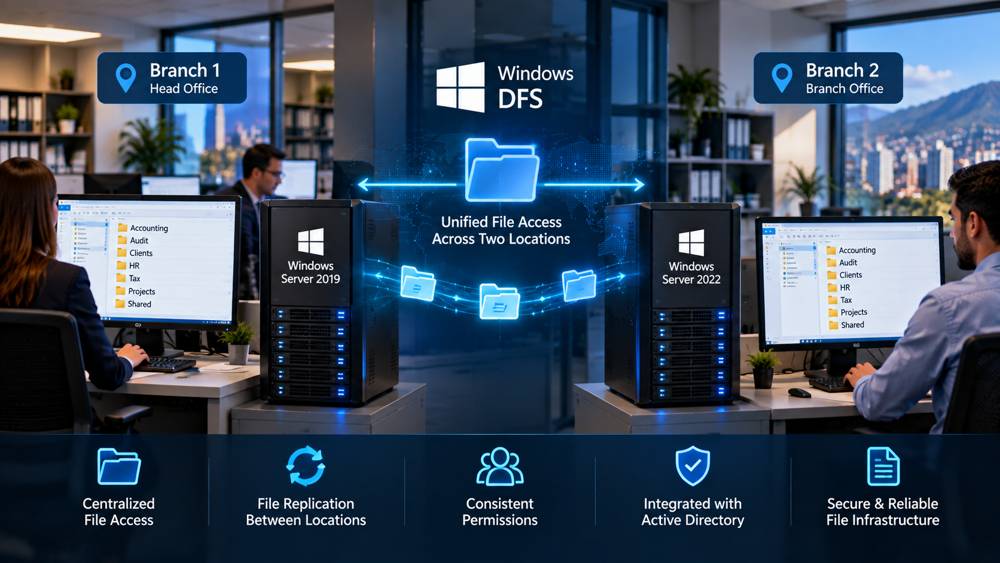
ZeroShieldIT configured a Windows Distributed File System environment between two Windows servers located at separate business locations. The implementation provided a more structured way for the audit firm to make business files available across both sites.
Challenge
The firm operated from two locations and needed staff to work with business files across both offices without treating each location as an isolated environment.
A centralized approach was needed to make file access between the two locations easier to manage while maintaining the existing Windows Server infrastructure.
Work Performed
ZeroShieldIT configured Windows Distributed File System between the two Windows servers and prepared the required server and file-sharing configuration for the two-site environment.
The work included configuring the Windows servers, shared resources, permissions, and DFS functionality required to support file availability between the locations.
Outcome
The two locations were able to work with shared business files through a more centralized Windows file infrastructure, reducing the need to manage completely separate file environments at each branch.
Technologies
Windows Server 2019, Windows Server 2022, Windows Distributed File System (DFS), Active Directory